Upon activating the plugin in Project Settings, the DIISIS editor will be added to Godot. The DIISIS editor can either be in embedded or windowed mode.
In embedded view, you open the editor like other main screens up top: 
In windowed view, you will find a new button in the top right corner of Godot. Click it to open the DIISIS editor in a separate window.
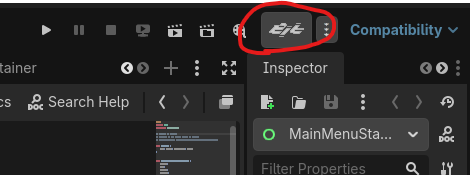
You can change the embed setting in Project Settings > DIISIS > Plugin > View > Embedded.
UI
Editor Controls
- Undo / Redo: Click these buttons to go back and forth between your operations. The label beneath tells you the previous action.
- Page navigation
- Add pages
- Line type selection
- Line views

Page Controls
- Skip Page
- Incoming references
- Select / deselect all lines
- Page Index & Page key
- Next Page
- Address Mode to Next Page
- Page-bound facts

Line Controls
- Skip line
- Line Index
- Select & Action menu (copy, cut, paste)
- Edit Facts & Conditionals
- Move line (use shift to move across folders)
- Add line above/below: Inserts a new line of the selected line type
- Delete line

Setting up the document
MANDATORY: Actor Names
The rest is optional:
Saving
Using CTRL+S or the context menu, you can save the script file. These output files can be saved anywhere inside res://The last file to be saved in the DIISIS window is the file to be read by the plugin (this can be overridden in the Parser autoload node). DIISIS will also automatically sav your file when you run the project, if enabled in your Preferences (Editor > Preferences). Head to LineReader & Parser to see how to display your work in-game.
